
Voice Commands
Add voice commands to your games.
Turn a word or phrase into a key press, mouse click, or controller button. Add voice to your existing controls.
Windows 10/11 · Microphone
Free on Windows · No credit card
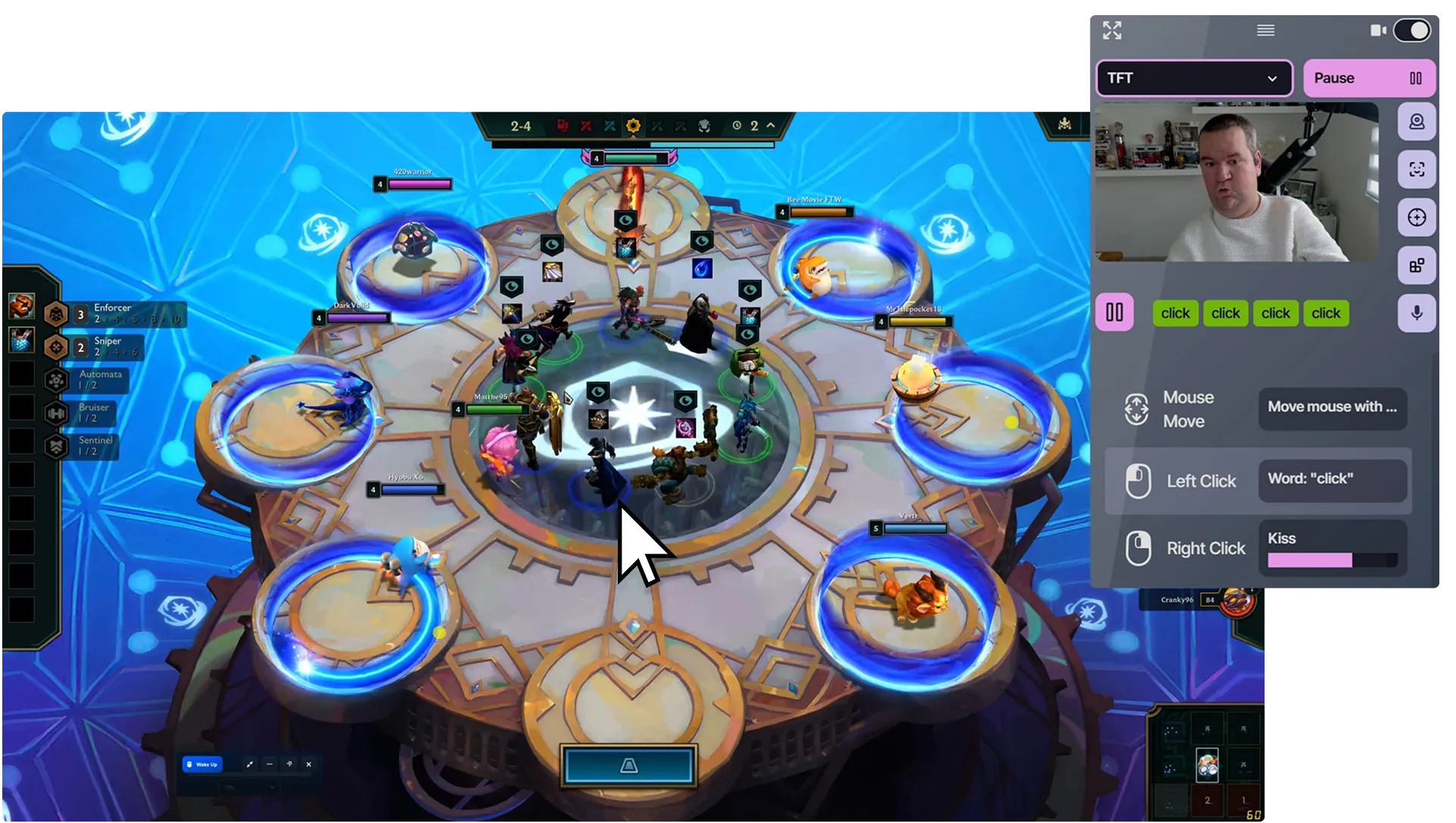
Choose what each phrase does.
- “Jump”
- Space key
- “Pause game”
- Controller Start button
- “Click”
- Left click
These are examples. You choose what controls each action.
A few words. The actions you choose.
Use your own phrases
Choose a word or short phrase for each action. Pick commands that sound different from each other and from speech around you.
Keep movement where it works
Use your mouse, controller, head movement, or another supported input for movement. Add voice for selected buttons and actions.
Choose press or toggle
Choose a short or longer press. With toggle, say the command once to activate the action and again to release it.
Set up your first voice command.
What you need
- A Windows 10 or 11 PC and a microphone.
- An account and internet connection for Free; internet is also needed to download the speech model.
-
Choose your microphone
Select a microphone and recognition language. Let the language model finish downloading if needed.
-
Connect a phrase to an action
Add a key, gamepad button, or mouse action. Choose Voice as its trigger and enter your phrase.
-
Say it and test it
Start Voice Detection and enable output. Check the recognized phrase, then try the action in your game.
Before you start
Do I need a webcam?
No. Voice commands use your microphone. A webcam is needed only if you also use face gestures or head movement.
Are the example commands already set up?
No. You choose the phrase and its output. Match the output to your game’s bindings: for example, “jump” can press Space in a game that uses Space to jump.
Can I hold a button by speaking?
Use toggle to hold an action: say the command once to press and again to release. You can also choose a timed press.
How can I make commands easier to recognize?
Choose short, distinct phrases in your selected language. Reduce background speech and check the recognition feedback.
Are voice commands free?
Yes. Free includes voice commands and all current control methods, with one editable profile and no time limit. An account and internet connection are required.
Add another way to control
Combine these inputs in the same profile.
Face Controls
Press keys and buttons with facial expressions.
Head Mouse
Move the pointer with your head.
Start with one word and one action.
All current control methods. One editable profile. Account and internet required.
Compare Free and Pro