
Face Controls
Press keys and buttons with facial expressions.
Turn a smile, eyebrow raise, or another expression into a key press, mouse click, or controller button. Use your webcam alongside your existing controls.
Windows 10/11 · Webcam
Free on Windows · No credit card
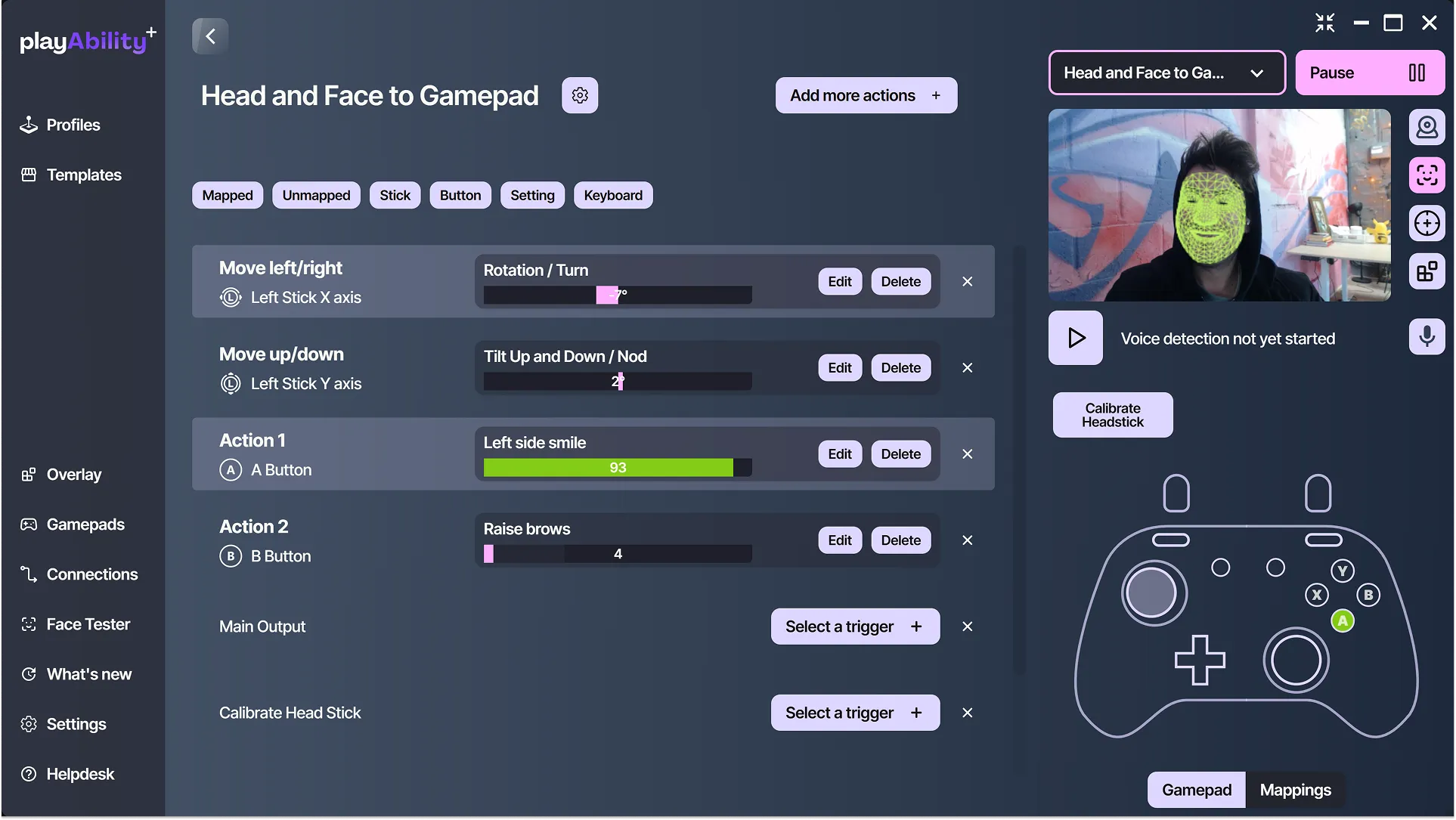
Choose what each expression does.
- Smile
- A button
- Raise your eyebrows
- Space key
- Open your mouth
- Left click
These are examples. You choose what controls each action.
Set the controls to match your expressions.
Choose your gesture
Try mouth, brow, and eye gestures in Face Tester. Pick an expression that feels comfortable and is easy to repeat.
Adjust the response
Set how much movement activates the action. Choose a short press, a hold, or a toggle for each control.
Keep your current setup
Use your mouse, controller, head movement, or other supported inputs for the rest. Start by adding one action.
Set up your first face control.
What you need
- A Windows 10 or 11 PC.
- A built-in or USB webcam, with your face clearly visible.
-
Connect your webcam
Select the camera in PlayAbility and start Face Detection. Keep your face visible in even lighting.
-
Pair an expression with an action
Add a key, mouse action, or gamepad button. Choose Face Gestures as its trigger and select your expression.
-
Adjust and try it
Tune the activation threshold, enable output, and test the action in your game.
Before you start
Do I need to move my head?
No. Facial expressions and head movement are separate inputs. You can use expressions for selected actions while keeping movement on your mouse or controller.
Can I choose any expression?
Choose from the mouth, brow, and eye gestures available in PlayAbility. Face Tester shows their detected values so you can compare expressions before assigning one.
How do I adjust accidental presses?
Raise the activation threshold or add a short detection delay. Check the response while resting, speaking, and making normal expressions, then test again in your game.
Will it work with my game?
PlayAbility sends keyboard, mouse, or virtual gamepad input. Choose an output your game accepts and test it there. Game support varies by output method.
Are face controls free?
Yes. Free includes all current control methods and one editable profile, with no time limit. An account and internet connection are required. Pro adds unlimited editable profiles, profile management, local file export/import, and additional themes.
Start with one expression and one action.
All current control methods. One editable profile. Account and internet required.
Compare Free and Pro