
Head Mouse
Move the pointer with your head.
Use your webcam to move the Windows pointer. Click with a facial expression, a voice command, or by keeping the pointer still for a moment.
Windows 10/11 · Webcam
Free on Windows · No credit card
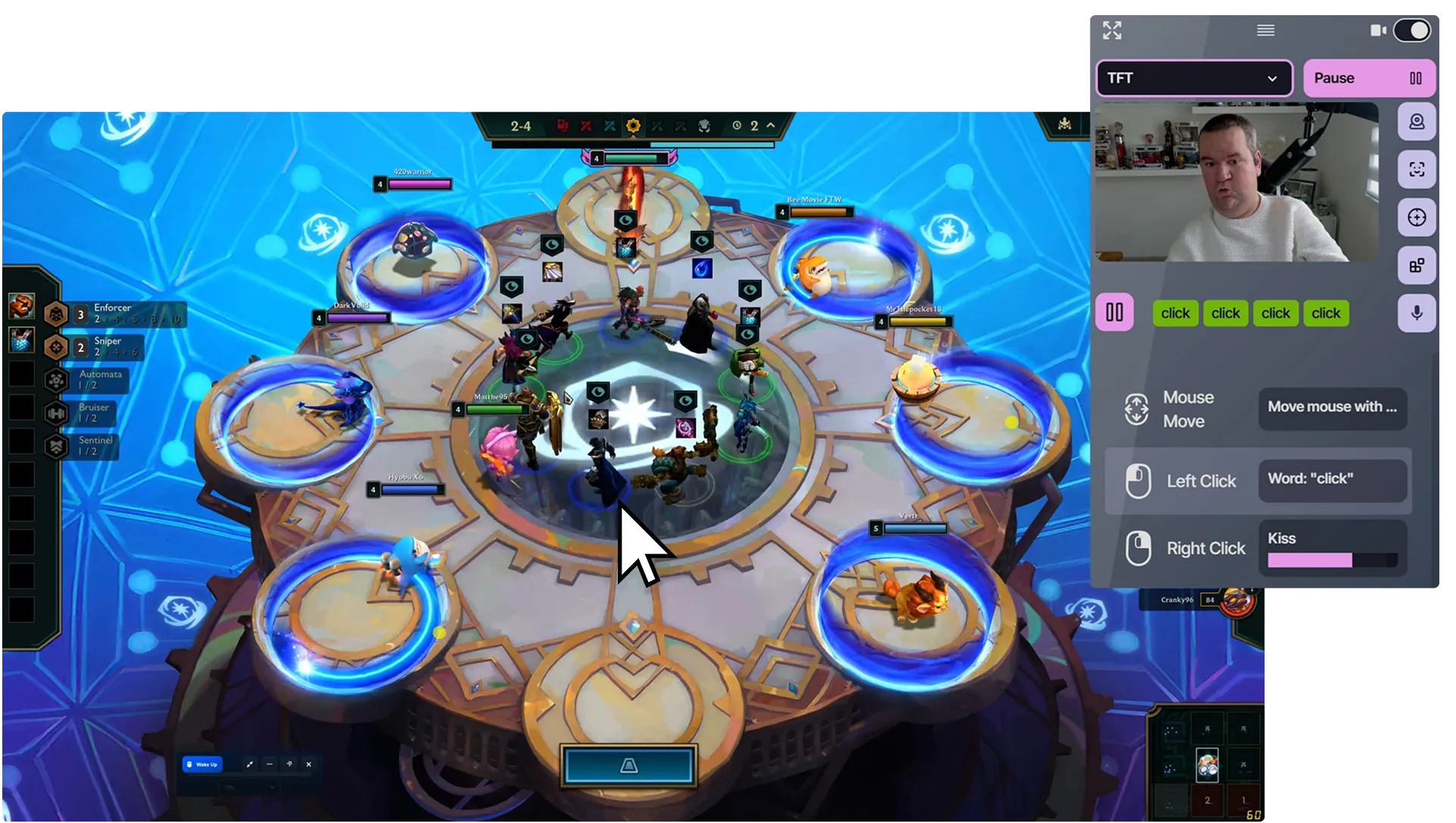
Choose how to point and click.
- Move your head
- Move the pointer
- Make a face gesture
- Click
- Keep the pointer still
- Dwell click
These are examples. You choose what controls each action.
A pointer that fits your setup.
Adjust the movement
Set horizontal and vertical sensitivity separately. Recenter at your resting position and choose how head movement moves the pointer.
Choose how to click
Use a face gesture, voice command, existing button, or dwell. Dwell clicks after the pointer stays still for the time you set.
Browse and play
Navigate pages and menus, or try games that accept mouse input. Add separate actions for right click and scrolling.
Set up pointing, then clicking.
What you need
- A Windows 10 or 11 PC and a built-in or USB webcam.
- A microphone if you choose voice commands for clicking.
-
Start head tracking
Select your webcam, start Face Detection, and sit in a comfortable resting position.
-
Add pointer movement
Add Mouse Motion and choose Head Motion Mouse as its trigger. Adjust the sensitivity and recenter.
-
Choose a click
Add a click action and its trigger, enable output, then test pointing and clicking together.
Before you start
Does it track my eyes?
Head Mouse uses head movement captured by your webcam. It does not use your gaze to position the pointer.
Do I have to use facial expressions to click?
No. You can choose voice, an existing physical input, or dwell instead. Dwell activates the click after the pointer remains still for your chosen delay.
Can I drag and scroll?
Yes. Configure a held or toggled mouse-button action for dragging, and separate Scroll Up and Scroll Down actions. Choose the triggers and behavior that suit each action.
Which pointer mode should I choose?
Relative mode moves the pointer like a physical mouse. Absolute mode maps head angle to a position on screen. Try both for desktop use; some games handle absolute movement poorly.
Is Head Mouse free?
Yes. Head Mouse and all current control methods are included in Free, with one editable profile and no time limit. An account and internet connection are required.
Add another way to control
Combine these inputs in the same profile.
Face Controls
Press keys and buttons with facial expressions.
Voice Commands
Add voice commands to your games.
Try head-controlled pointing.
All current control methods. One editable profile. Account and internet required.
Compare Free and Pro