Free edition - No credit card needed

Play as you are

Turn head movement, facial gestures, voice, and the devices you already use into a gamepad, mouse, or keyboard—with just a webcam.

Windows 10/11 · no credit card

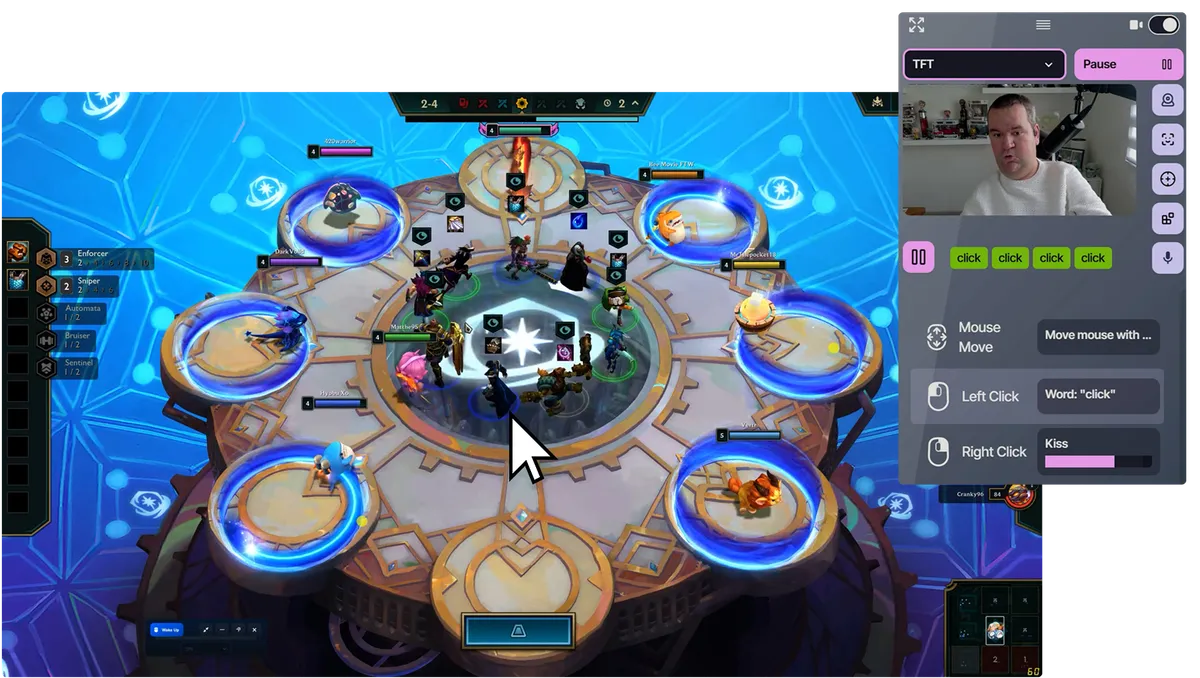
PlayAbility turning head movement into game controls during gameplay

Turn any input into game controls

A smile can press a button. A head tilt can move an analog stick.

Start with what you already have

A webcam is enough. Add controllers, switches, or adaptive devices when you need them.

Works with every game

Play PC games directly, with console support through Remote Play or compatible adapters.

What Our Users Say

"I can't believe seeing all features included in Playability and the price for unlimited licence. this is a great change for all gamers with disabilities."

DC

David C

"Thanks to Playability, the hope of playing video games again without my hands has become a reality. Its creator is dynamic and accessible via Discord, don't hesitate anymore!"

Michael KLAUSZ

Michael KLAUSZ

"Playability is an amazing accessibility tool. There are so many different ways you can use it. It has helped remove barriers in many games and apps and I would highly recommend it."

PU

Playability user

"An incredible software that helps many people with disabilities to be able to play! Thank you to Valentin for this invention!"

WL

WECXSTEEN LUCAS

"I can play PlayStation 5 with my eyes"

J

Julien

"A superb experience with great playability. The smooth and functional gameplay, along with all the updates, makes for an excellent experience. A huge thank you for this application, which finally makes video games accessible to everyone. Thank you, Valentin."

PAPeen
PAPeen

Streamer

"very good"

G

gz

"PlayAbility is a very useful program because with its facial and voice recognition AI, it allows me to configure multiple actions in games that I couldn't use before. It's also very practical to be able to configure it on an Xbox controller, as Windows recognizes this type of peripheral perfectly (being from Microsoft). But that's not all, it allows you to configure keyboard keys, individually and combined, configure keyboard for Xbox buttons, Xbox buttons to activate keyboard keys, etc. And it still has more features that I don't master yet and that escape any assessment I can make. As I said, PlayAbility is a very complete program that opens up the universe of video games (on PC and consoles, it's important to remember) to people with disabilities, like me."

Santiago Angulo

Santiago Angulo

"Playability is essential software for a disabled gamer like me. Since I started using Playability, I play many more games."

MyJere

MyJere

streameur

"Very helpful adaptive software, allows for elimination of hand movements that might be painful or otherwise unpleasant. Support via their Discord is very forthcoming. Happy to continue using it and replace even more inputs with it."

AV

A. V.

"My left arm is paralyzed, I've been searching for a solution like this for years, it's amazing ❤️❤️❤️"

Thomas

Thomas

Handigamer

"Everything is taken into account to be able to interact with the game... this invention is crazy"

Kayane

Kayane

Pro gamer

"I can play FIFA again, using my face to score and pass! The software is really simple to use"

"Thanks to PlayAbility, I got my first Top 1 in Fall Guys!"

Kvin

Kvin

Handigamer

"My arm is paralyzed and I can see so many possibilities! I couldn't find any solution before today, it's amazing! Thank you!"

xblade753

xblade753

Discord user

From movement to game control

Choose what you can use. PlayAbility maps it to the controls your game already understands.

What you use

Head movement
Facial gestures
Voice
Adaptive devices

PlayAbility

  • Map each input
  • Tune sensitivity
  • Combine devices

What the game sees

Gamepad
Mouse
Keyboard

Use what you can move

Turn your head to steer or aim, and use a smile or eyebrow raise as button presses.

PlayAbility lets these act as analog controls for precise steering and aiming. See the exact head-tracking and face-gesture settings.

Head movement controlling the mouse with PlayAbility
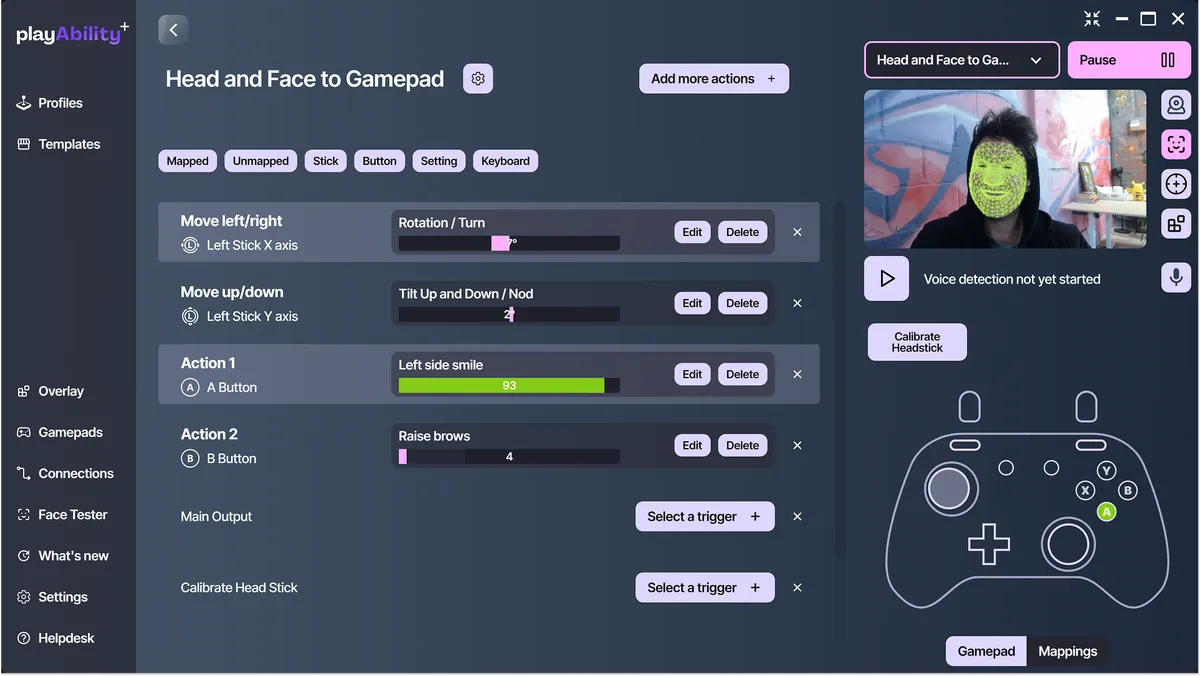
PlayAbility interface mapping inputs to game controls

Map it to what the game expects

Map any input to any output: face gestures, head movement, voice, mouse, keyboard, gamepad, or switches.

A smile becomes a button. A head tilt becomes an analog stick. A word becomes an action.

Turn what you can use into what the game expects, precisely and reliably.

Play across your favorite setups

PlayAbility creates a virtual controller behind the scenes, so games think you're using a normal keyboard, mouse, or Xbox controller.

With Remote Play or adapter support, you can also play on PlayStation 5 with Chiaki, Xbox with Remote Play or Greenlight, and Nintendo Switch with a PlayAbility Receiver. Your custom controls, everywhere you game.

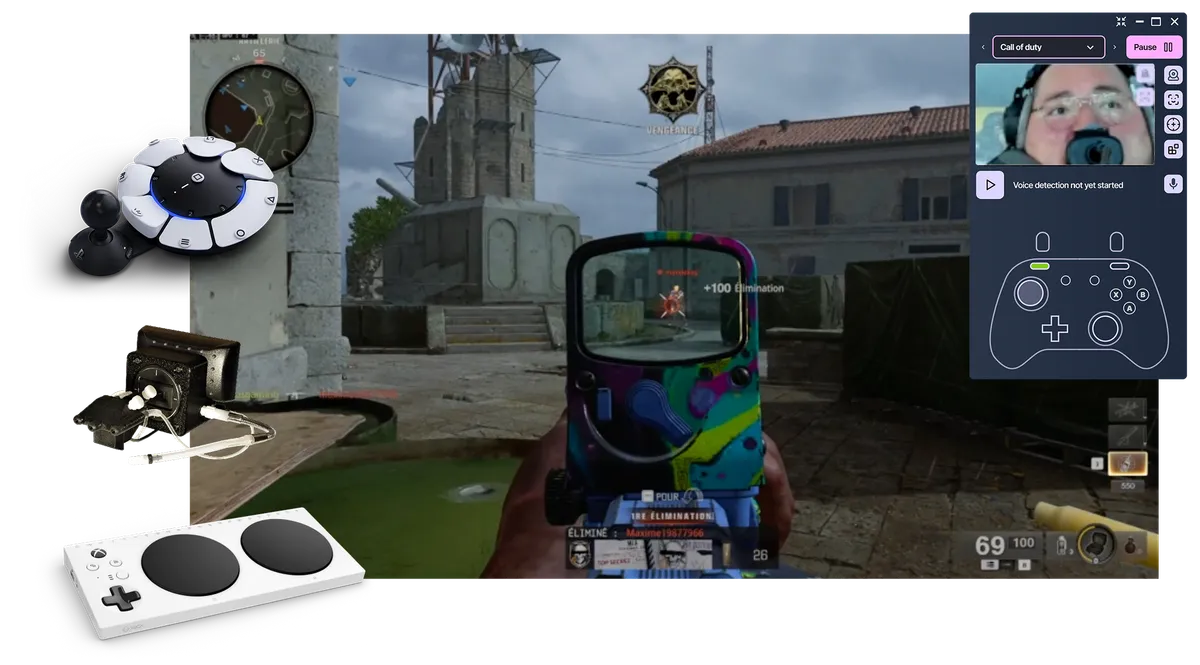
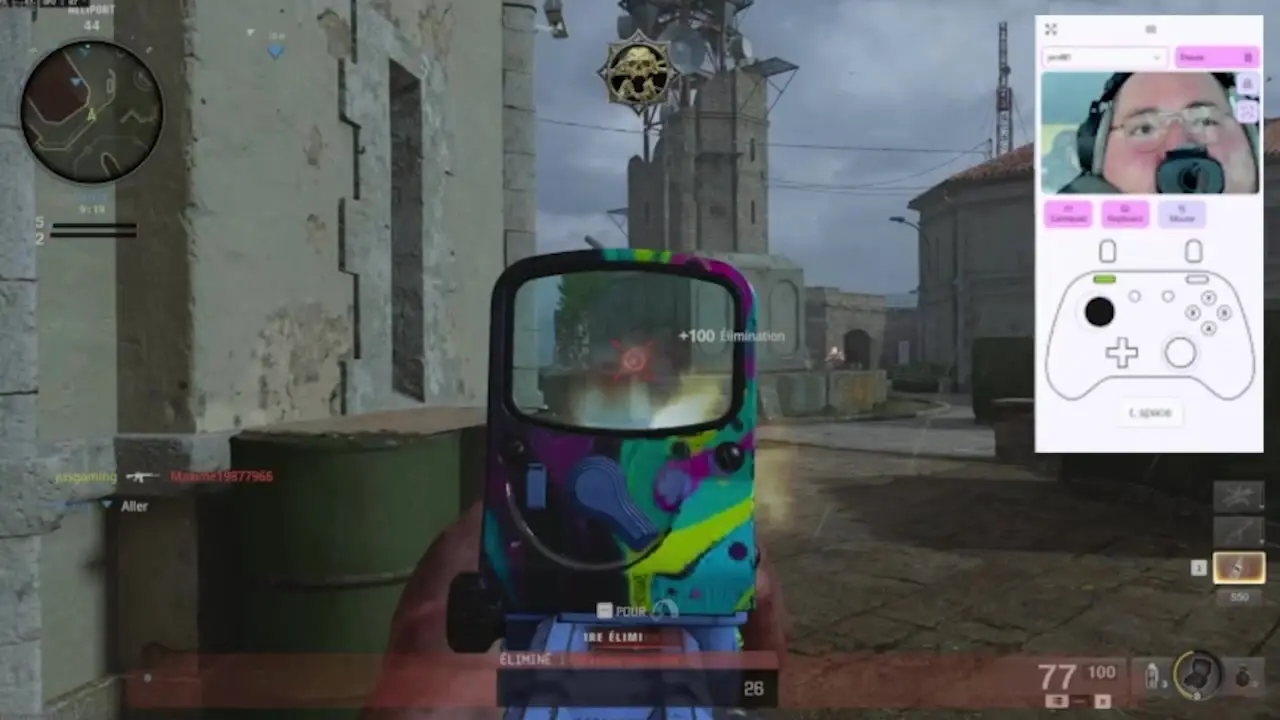
Call of Duty controlled with QuadStick and PlayAbility

All controls are free.
Upgrade for more profiles.

Build and use one complete control setup without paying.

Choose Pro for unlimited profiles, more computers, and to support the project.

Free Edition

0€

No credit card needed

  • All control features
  • 1 customizable profile
  • Use on 1 computer
  • Free updates included
  • Upgrade only when you need more
Download free for Windows

Pro Edition

7,99€ /month

Billed monthly • Cancel anytime

  • Access to all features
  • Unlimited profiles
  • Use on all your computers
  • Priority access to new features
  • Try it risk-free for 30 days
Limited offer

Pro Edition

129€

One time payment • Lifetime access

  • Access to all features
  • Unlimited profiles
  • Use on all your computers
  • Priority access to new features
  • All future updates included
  • Try it risk-free for 30 days

Need the Pro Edition at work? Solo health professionals and occupational therapists can contact us for 50% off the Pro Edition. This offer does not apply to organizations or bulk orders.

Clinics, schools, or institutions looking to purchase multiple licenses: contact us for volume pricing.

Common Questions

Everything you need to know about PlayAbility Adaptive Software

PlayAbility Adaptive Software is a Windows accessibility tool that lets you control games using facial expressions, head movements, voice commands, mouse and keyboard, gamepads and adaptive devices. It works with just a computer with a webcam and microphone and translates your inputs into standard game controls, no special hardware needed.

No. PlayAbility works with any standard webcam (built-in or external) and microphone. No proprietary or expensive hardware required.

Absolutely — and many users rely on it daily. PlayAbility can replace a mouse or keyboard for everyday computer use. You can move the cursor with your head, click with facial gestures, scroll, drag-and-drop, and trigger keyboard shortcuts — all hands-free, in games and across your entire PC.

Yes. PlayAbility works with any PC game that accepts controller, keyboard, or mouse input, including Steam, Epic Games, Xbox Game Pass, and emulators. No special game support or mods required.

Yes. PlayAbility is completely free to download and use with full access to all features and one profile included. To unlock unlimited profiles and support the project, you can buy the Pro Edition.

Yes. PlayAbility creates a virtual Xbox controller and can fully replace a gamepad, keyboard, or mouse.
It can also be used alongside your existing devices, letting you combine multiple inputs into a single setup.

See all supported virtual buttons, sticks, triggers and modes in Gamepad Actions.

PlayAbility runs on Windows but can control most consoles via Remote Play or compatible adapters. Follow the setup for PlayStation 5 with Chiaki, Xbox Remote Play, Cloud Gaming or Greenlight, or Nintendo Switch 1 and 2. PlayAbility doesn't install directly on consoles.

Play as you are
Download the free Windows edition, or see the setup guide before you begin.